
Booking a cab — step by step
The booking form “Book your ride” is on the homepage and on every service and destination page. Tap Book Now at the top (or at the bottom on a phone) to jump to it.
Tip
Sending the form is a request, not a payment. Our team checks availability and confirms the car and the final fare with you first.
The form, field by field
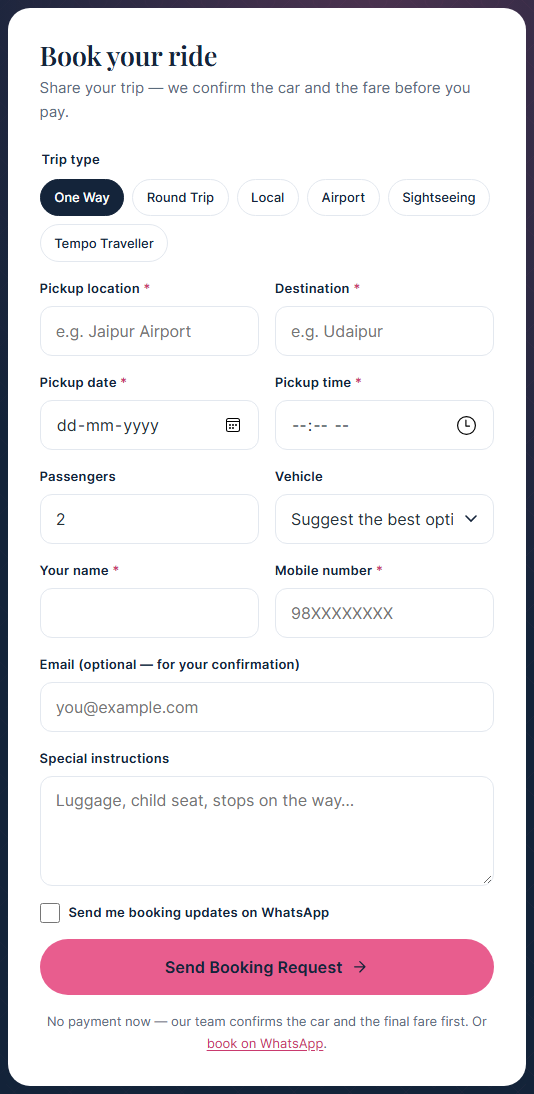
Step 1: Trip type
Tap one: One Way, Round Trip, Local, Airport, Sightseeing or Tempo Traveller. The form changes to show only the fields you need.
Step 2: Pickup location *
Where we should pick you up — a hotel, address, the airport or the railway station.
Step 3: Destination *
Where you want to go. Not shown for Local and Sightseeing trips.
Step 4: Pickup date *
Today or a later date (up to one year ahead).
Step 5: Pickup time *
The time the car should be at your pickup point.
Step 6: Passengers
How many people will travel (1–50).
Step 7: Vehicle
Choose a vehicle type, or leave Suggest the best option. The form warns you if your group is too big for the vehicle.
Step 8: Your name *
The name of the person travelling or booking.
Step 9: Mobile number *
A 10-digit Indian mobile number — we call or message you on it.
Step 10: Email (optional)
Add it to receive your confirmation and booking link by email.
Step 11: Special instructions
Luggage, a child seat, stops on the way, flight number — anything we should know.
Step 12: WhatsApp updates
Tick Send me booking updates on WhatsApp if you would like updates on WhatsApp.
Step 13: Send
Tap Send Booking Request.
Fields marked * are required.
Round trip: choose your return date
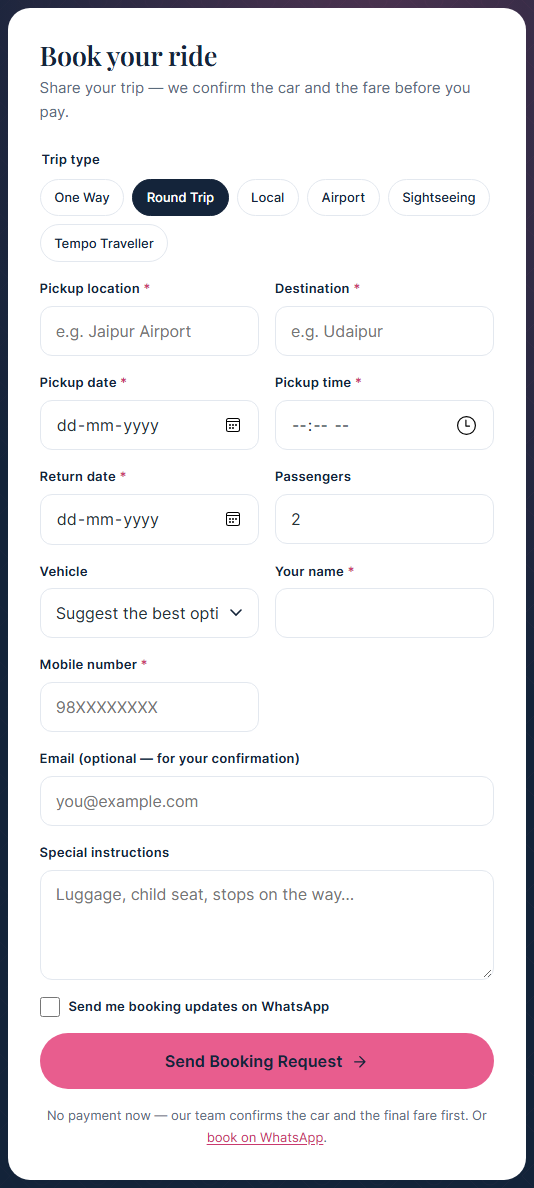
When you choose Round Trip, a Return date field appears. It must be on or after the pickup date.
A completed form
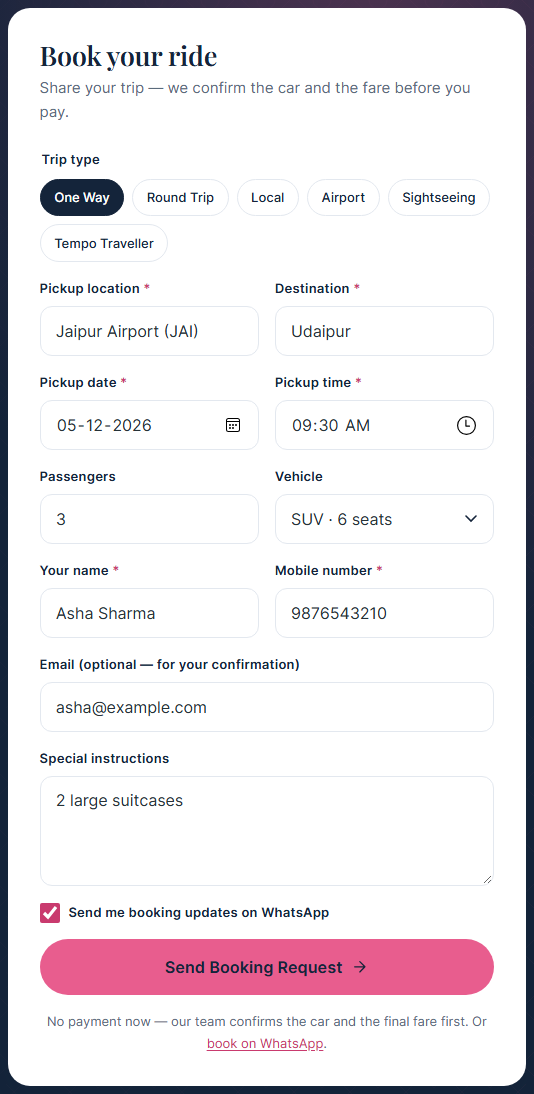
What you should see
After you tap Send Booking Request, the button shows “Sending…” and then the booking confirmation page opens with your booking reference (for example TPC-2026-00001) and the status Pending. See what happens after you book.
Note
Prefer to talk? You can also book by phone or WhatsApp — the link “book on WhatsApp” is right below the button.
Was this article helpful?