Booking problems and how to fix them
On this page
“Please correct the highlighted fields.”
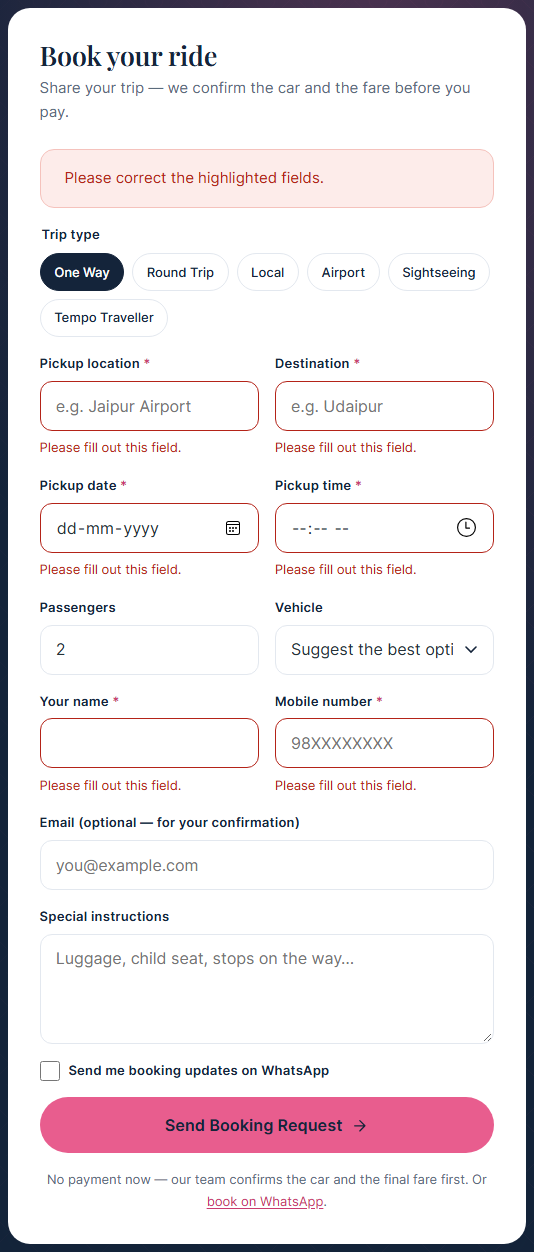
Fill in every field outlined in red and tap Send Booking Request again. Common messages:
| Message | What to do |
|---|---|
| Please enter a valid 10-digit Indian mobile number. | Enter 10 digits starting with 6, 7, 8 or 9 (you may add +91 or 0 in front). |
| The pickup date cannot be in the past. / The pickup time has already passed. | Choose a later date or time. |
| Bookings can be made up to one year ahead. | Choose a date within the next 12 months, or call us. |
| The return date must be on or after the pickup date. | Correct the return date (round trips). |
| A … seats up to … passengers — please choose a larger vehicle. | Choose a bigger vehicle or “Suggest the best option”. |
| Please enter a valid email address or leave it empty. | Correct the email, or delete it — email is optional. |
| Your session expired. Please submit the form again. | The page was open for a long time. Fill in the form again and send it. |
| Network problem — please try again, or call us. | Check your internet connection and try again, or call/WhatsApp us. |
I did not receive an email
- Emails are only sent if you entered an email address.
- Check the Spam/Promotions folder.
- Your request is still received — the confirmation page with your reference proves it. Our team will contact you by phone or WhatsApp.
I entered wrong details
Do not send a second request. Call or WhatsApp us with your reference number and we will correct it.
I lost my booking link or reference
Contact us with the mobile number you used for booking and your travel date.
Still need help?
Our Jaipur team is available 24×7 by phone and WhatsApp.
Was this article helpful?