
Finding your way around the homepage
On this page
On a computer
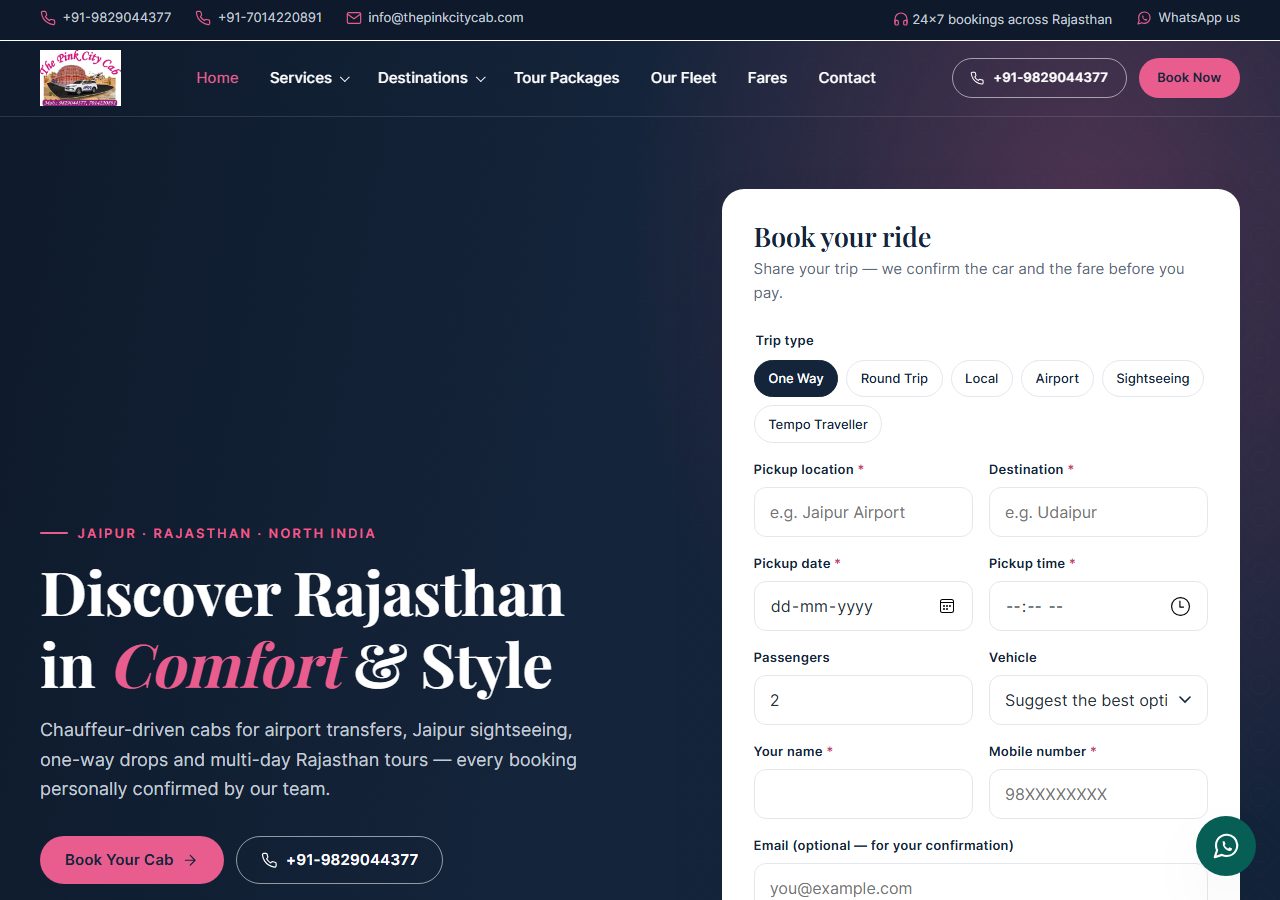
Step 1: Main menu
Home, Services, Destinations, Tour Packages, Our Fleet, Fares and Contact. Point at Services or Destinations to open the list of pages.
Step 2: Call button
Calls our main booking number.
Step 3: Book Now
Takes you straight to the booking form.
Step 4: Booking form
“Book your ride” — send a booking request from here. See how to book a cab.
Step 5: WhatsApp button
The green round button opens a WhatsApp chat with our team. It stays at the bottom right of every page.
Step 6: Top bar
All our phone numbers, our email and a WhatsApp link.
Further down the homepage
Scroll down to see: our services, vehicle types with rates, why travel with us, popular destinations, how booking works, tour ideas, our fleet, frequently asked questions and contact details. The footer at the bottom has quick links, the legal pages and this Help Center.
On a phone
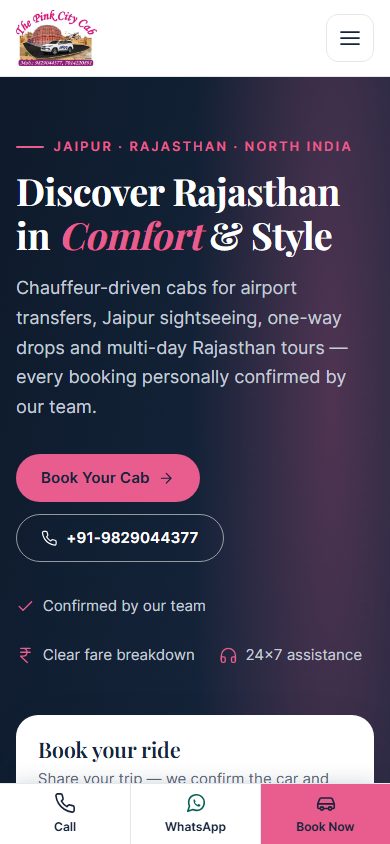
Step 1: Menu button
Tap the three lines to open the menu.
Step 2: Call
Calls us directly.
Step 3: WhatsApp
Opens a WhatsApp chat with us.
Step 4: Book Now
Jumps to the booking form.
What you should see
The Call, WhatsApp and Book Now bar stays at the bottom of the screen on every page, so help is always one tap away.
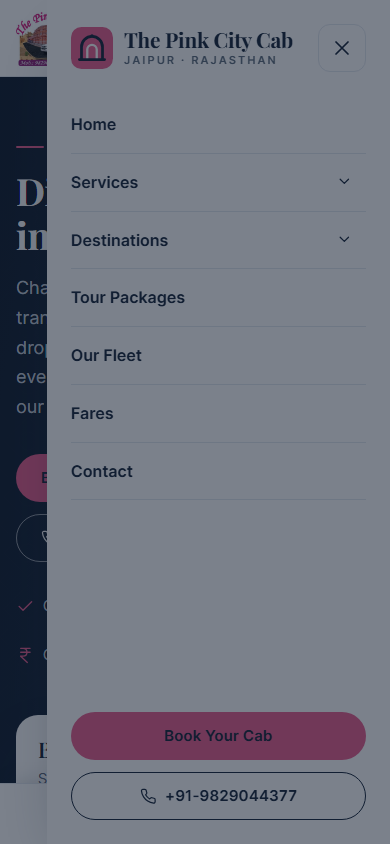
In the phone menu, tap the small arrow next to Services or Destinations to see their pages. Close the menu with the × button.
Was this article helpful?